
FFH4X Injector APK FF Download Latest Free For Android

Description
FFH4X Injector APK is a name associated with third-party tools designed for players interested in exploring additional customization options for Free Fire. Many mobile gamers search for tools that offer a different interface, extra settings, and new ways to personalize their gaming experience.
Before downloading any third-party application, players should understand its features, compatibility, and potential limitations. The actual functions of FFH4X Injector may vary depending on the version and source. Therefore, it is important to verify the available features before installing it. This guide explains the FFH4X Injector APK, its possible benefits, installation considerations, usage instructions, advantages, disadvantages, and important safety tips.
What Is FFH4X Injector APK?
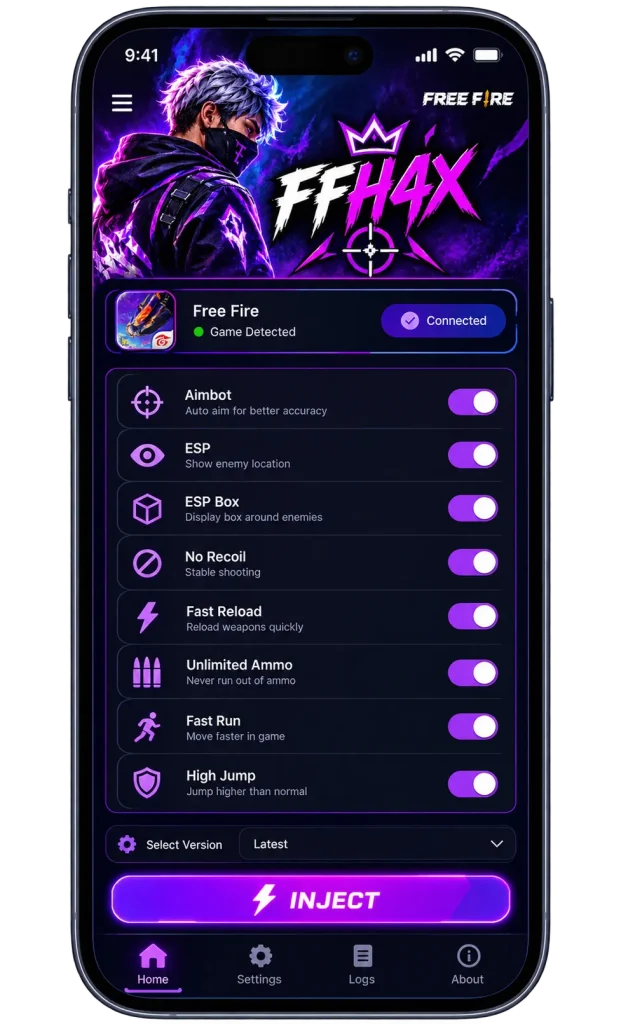
FFH4X Injector APK is a third-party Android application associated with Free Fire customization tools. Applications in this category may provide a separate dashboard, configuration options, or shortcuts for managing supported settings. However, not every version offers the same functionality. Some versions may be outdated, while others may include features that do not work with the current game release. Players should remember that an application’s advertised features are not necessarily proof of its actual capabilities. Always check the version information and available documentation before proceeding. The Luckpartifire Injector unlocks all the premium items including Emotes, Skins, Characters and many more.
Key Features of FFH4X Injector APK
The following categories describe features that players may encounter in third-party gaming customization applications. Their availability in FFH4X Injector should be verified for the specific version.
1. Simple User Interface
A clear interface helps users understand the available options without navigating complicated menus. Well-organized categories can make application settings easier to review.
2. Configuration Options
Some gaming utilities provide configuration menus for supported preferences. These options may allow users to review settings before applying them.
3. Version Information
Version details help users determine whether an application is current or outdated. Checking the release number can also help identify compatibility problems.
4. Mobile Compatibility
Android applications can behave differently across devices. Screen resolution, operating system versions, available storage, and device performance may influence compatibility.
5. Lightweight Design
A lightweight application generally uses fewer storage resources. However, the actual file size and performance of FFH4X Injector depend on the version being distributed.
6. Easy Navigation
A well-designed dashboard can help users locate instructions, settings, and support information more efficiently.
How to Download FFH4X Injector APK?
Finding a trustworthy download source is an important part of installing any Android application. Unknown websites may distribute modified files or outdated packages.
Follow these recommendations before downloading:
- Search for the exact application name and version.
- Review the website’s reputation and publication details.
- Check the file size and Android compatibility information.
- Read the available installation instructions.
- Scan the downloaded file with a reputable mobile security solution.
- Avoid files that request unrelated permissions.
Do not assume that a download is safe simply because a website describes it as the latest version. A reliable source should provide clear information about the developer and release history.
FFH4X Injector APK Installation Guide
Installation requirements depend on the Android version and the package being used. If you have obtained a legitimate, trustworthy APK, use the following general process.
Step 1: Check Device Compatibility
Confirm that your phone supports the application’s stated Android requirements. Make sure sufficient storage is available before starting.
Step 2: Review the APK File
Check the application name, version number, developer information, and requested permissions. Avoid installing files with unclear origins.
Step 3: Review Android Installation Settings
Android may require permission to install applications from a particular source. Only consider this setting when you trust the source and have verified the file.
Keep installation permissions restricted whenever possible.
Step 4: Install and Review Permissions
Follow the Android installation prompts. Carefully review the permissions requested by the application and decline access that is unnecessary for its stated purpose.
Step 5: Open and Check the Application
After installation, open the application and review its menus and version information. If it crashes, requests unusual access, or behaves unexpectedly, stop using it and uninstall it.
Ways to Use FFH4X Injector
The available functions depend on the specific release. A cautious approach is to explore the application’s documented features without assuming that every advertised option works.
Method 1: Explore the Dashboard
Open the application and review its main menu. Read any instructions provided by the developer before changing settings.
Method 2: Review Configuration Options
Check whether the application provides documented configuration settings. Use only options that are clearly explained and supported.
Method 3: Check Compatibility
Compare the application’s version information with the requirements listed by its developer. Compatibility should be confirmed before attempting to use it alongside another application.
Method 4: Review the Results
If the application offers legitimate, supported customization features, check whether they behave as described. Stop if the application causes errors or unexpected changes.
Method 5: Remove Unwanted Applications
If the tool does not function correctly, uninstall it through Android’s application settings. Avoid repeatedly installing files from different unknown websites.
Note: There is no verified universal injection procedure for FFH4X Injector. Avoid instructions that require replacing game files, bypassing protections, or providing account credentials to an unknown service.
Pros of FFH4X Injector APK
Third-party gaming utilities may offer certain conveniences, depending on their design and reliability.
- Customization exploration: Users can learn about different gaming utility interfaces.
- Separate dashboard: A dedicated interface may organize supported settings.
- Version awareness: Release information can help users identify outdated software.
- Convenient navigation: Organized menus can make documented options easier to locate.
- Technical learning: Exploring application settings can help users understand Android software compatibility.
- Flexible device support: Some applications support several Android versions, although compatibility must be verified.
These advantages are potential benefits of well-designed utilities rather than guaranteed features of FFH4X Injector.
Cons of FFH4X Injector APK
Third-party applications can also introduce practical concerns.
- Uncertain reliability: Some releases may not work as advertised.
- Compatibility problems: An application may stop working after a game or Android update.
- Privacy concerns: Unnecessary permissions may expose personal information.
- Unclear developer details: Anonymous publishers can make verification difficult.
- Limited support: Users may not have access to dependable technical assistance.
- Unexpected errors: Poorly developed applications may crash or affect device performance.
- Account-related risks: Unsupported modifications may conflict with the game’s rules and affect account access.
Considering these limitations before installation can help players make a more informed decision.
Is FFH4X Injector APK Compatible With Every Android Phone?
No third-party APK can be assumed to work on every Android device. Compatibility depends on several technical factors. The Android operating system version is one important consideration. Older devices may lack required software components, while newer devices may restrict certain installation methods. Hardware resources also matter. Available memory, processor performance, and storage space can affect how smoothly an application operates. Before installing FFH4X Injector, check its published requirements. If reliable compatibility information is unavailable, treat the application cautiously.
How to Improve Your Free Fire Experience Without Extra Tools?
Players can explore several legitimate ways to improve their experience without relying on unverified applications.
Adjust Sensitivity Settings:
Experiment with the game’s available sensitivity controls. Small adjustments can help you find settings that feel comfortable for your device and playing style.
Customize the HUD Layout:
Review the available heads-up display settings. Adjusting button placement and size may improve accessibility and control.
Practise in Training Mode:
Spend time practising aiming, movement, and weapon handling. Regular practice can help develop consistency.
Improve Device Performance:
Close unnecessary background applications, maintain adequate storage, and keep your operating system updated.
Use Official Game Updates:
Official updates may introduce improvements, bug fixes, and new content. Download updates through trusted distribution channels.
Safety Tips Before Installing FFH4X Injector APK
Protecting your device should always come before experimenting with additional applications.
- Download carefully: Avoid unfamiliar websites that provide little information about the publisher.
- Protect your account: Never share your password, verification code, or recovery details with an injector website.
- Review permissions: Be cautious if an application requests access to contacts, messages, accessibility controls, or other features unrelated to its purpose.
- Check for unusual behaviour: Unexpected pop-ups, excessive battery use, or unexplained data consumption may indicate a problem.
- Keep security features enabled: Use Android’s available security protections and scan suspicious downloads.
- Respect game policies: Review the game’s current rules before using third-party utilities. Unsupported modifications may lead to restrictions or other account consequences.
Common Problems and Possible Solutions
FFH4X Injector Does Not Install:
The APK may be incompatible, incomplete, or damaged. Verify the source, check available storage, and confirm the Android requirements.
The Application Crashes:
Restart your device and check whether the application supports your Android version. If crashes continue, uninstall it rather than repeatedly trying unverified files.
The Features Do Not Work:
The advertised functionality may be outdated, unavailable, or incorrectly described. Check the developer’s documentation instead of downloading multiple unknown versions.
The Application Requests Unusual Permissions:
Do not grant access automatically. Cancel the process if the requested permissions are unrelated to the application’s stated purpose.
The Game Experiences Errors:
Remove the third-party application and return to the official game version. Consult the game’s official support resources if the problem continues.
Frequently Asked Questions About FFH4X Injector APK
What Is FFH4X Injector APK?
FFH4X Injector APK is a name used for a third-party utility associated with Free Fire customization. Its exact functions depend on the version and source.
Is FFH4X Injector APK Free?
Pricing cannot be confirmed without reliable information about the particular release. Check the publisher’s terms before downloading or paying for any service.
Is FFH4X Injector Available for Android?
The APK format is designed for Android applications, but the compatibility and authenticity of a particular FFH4X Injector file must be verified.
Does FFH4X Injector Work With the Latest Free Fire Version?
Compatibility cannot be guaranteed. Updates to Android or Free Fire may affect third-party applications, so consult reliable version information before use.
Is FFH4X Injector Safe to Install?
Its safety cannot be confirmed without examining the specific file and its source. Review the publisher, requested permissions, and security scan results before making a decision.
Can FFH4X Injector Affect a Game Account?
Third-party modifications may conflict with game policies. Read the current rules and avoid unsupported tools that could put account access at risk.
What Should I Do if FFH4X Injector Stops Working?
Stop using the application, check its documented compatibility, and uninstall it if the problem persists. Use official game settings for a more reliable experience.
Final Verdict:
FFH4X Injector APK attracts attention from Free Fire players interested in exploring third-party gaming utilities. However, its actual features, compatibility, and reliability should be confirmed rather than assumed. Before downloading, investigate the source, check the version information, and consider the possible disadvantages. Protecting your device and account is more important than experimenting with an unfamiliar application.
For a dependable gaming experience, consider official customization settings, regular practice, and trusted updates. These options provide a practical starting point without requiring you to depend on an unverified third-party tool.