Meliodas Injector MLBB Injector APK Latest Free Download

Description
For Android players who enjoy exploring external utilities for Mobile Legends: Bang Bang, Meliodas Injector has become a name that frequently appears in discussions about visual customization and interface exploration. This application positions itself as a companion tool for users who want to access additional options beyond the standard game menus. Understanding what it offers, how it is typically used, and what limitations exist can help you make an informed decision before downloading any third-party APK.
What Is Meliodas Injector?
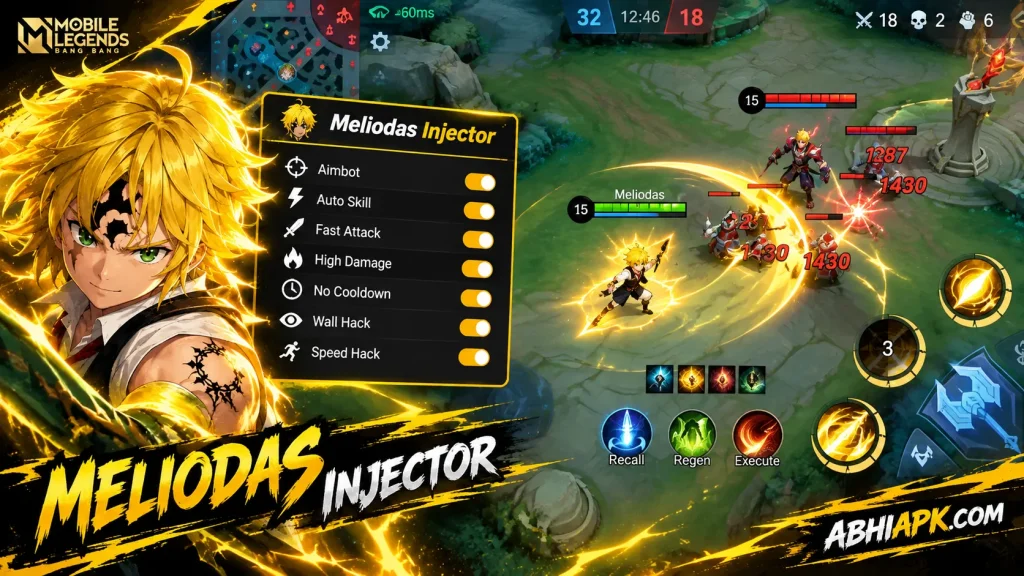
Meliodas Injector is an unofficial Android utility designed for players of MLBB who are curious about external customization interfaces. Unlike official companion apps from the game developer, this tool operates independently and attempts to provide a separate layer of visual or functional options. The application is lightweight in design and focuses on giving users a centralized dashboard where various game-related settings can be explored . Because it is not distributed through official channels, its behavior, compatibility, and available features can shift between releases. Must try the NIX Injector APK to unlock all the premium stuffs and to play a professional gameplay.
Core Features at a Glance
Compact Installation Profile:
Meliodas Injector maintains a relatively small footprint compared to many gaming utilities. This makes it accessible for devices with limited storage space. The installation package is straightforward, and the application does not require an extensive setup process before opening the main interface .
Centralized Control Dashboard:
The primary screen organizes available options into clear categories. Users can navigate between visual adjustments, utility preferences, and other sections without digging through nested menus. This layout reduces the learning curve for first-time users who are unfamiliar with injector-style tools.
Visual Customization Options:
Different versions of the application may present choices related to appearance and on-screen elements. These options are typically framed as personalization features rather than competitive advantages. Availability varies by release, so the exact set of customization choices depends on which version you install .
Android-Oriented Design:
The tool is built specifically for the Android platform, with compatibility targeting modern operating system versions. Most recent releases require Android 7.0 or later, which covers a broad range of active devices . However, performance and stability can differ across phone models and hardware configurations.
Version-Specific Updates:
The developer periodically releases updates that address compatibility with game changes and general stability improvements. These updates may also refresh the interface design or fix reported issues. Checking the version history before installation helps you understand what to expect from a particular release.
How to Use Meliodas Injector MLBB APK?
Step 1: Prepare Your Device
Before installing any external APK, ensure your Android system is updated and that you have sufficient free storage. Enable installation from unknown sources only temporarily, and remember to disable it afterward. Scanning the APK file with a reputable security tool adds an extra layer of precaution.
Step 2: Install and Launch
Download the APK from the source you have chosen to trust. After installation, open the application and observe the permission requests. A legitimate utility should request only permissions relevant to its stated purpose. If the application asks for access to contacts, SMS, or sensitive account information, that is a clear warning sign.
Step 3: Explore the Interface
Once launched, the dashboard presents available categories. Take time to review each section without immediately applying changes. Understanding what each option does before activating it reduces the chance of unexpected results.
Step 4: Apply Desired Adjustments
Select the options that match your preferences. The application may require you to launch MLBB afterward for the adjustments to take effect. Keep in mind that results are not guaranteed and can vary based on your device and the current game version.
Step 5: Monitor Performance
After using the tool, observe how the game behaves. If you notice lag, graphical glitches, or unusual interface behavior, revert the changes or remove the application. Consistent performance matters more than experimental adjustments.
Pros and Cons
Advantages
- User-Friendly Layout. The interface is arranged logically, making it approachable even for users who have never used an injector before.
- Low Storage Demand. The application does not consume significant device storage, which is helpful for phones with limited space .
- Broad Android Compatibility. Support for Android 7.0 and above means the tool can run on many devices currently in use.
- Centralized Options. Having customization choices in one place saves time compared to searching through multiple menus.
Drawbacks
- No Official Oversight. Because the application is not reviewed by the game developer or official app stores, its safety profile cannot be guaranteed.
- Feature Inconsistency. Options that appear in one version may disappear or behave differently in another. There is no stable feature set across releases.
- Device-Dependent Results. What works smoothly on one phone may cause issues on another due to hardware and software differences .
- Limited Support. Users who encounter problems have few reliable channels for assistance compared to official applications.
Additional Categories Worth Knowing
Security Considerations:
Third-party APKs require extra caution. Always verify the download source, review permission requests carefully, and avoid entering any personal credentials into the application. A utility that asks for your MLBB password or verification code is not behaving within reasonable boundaries for a customization tool.
Compatibility Factors:
Your Android version, device processor, and the current MLBB build all influence whether Meliodas Injector functions as expected. Game updates can alter internal systems without warning, potentially breaking features that previously worked. Checking community feedback before updating the tool or the game helps you anticipate compatibility shifts.
Responsible Usage Mindset:
External utilities sit outside the official ecosystem of the game. Players who choose to explore them should do so with an understanding that the experience is experimental. Relying on official in-game settings for core adjustments remains the most stable approach for long-term play.
Maintenance Habits:
Keeping your Android system updated, clearing unused files regularly, and using a stable internet connection all contribute to smoother performance when running any external tool alongside a resource-intensive game like MLBB.
Frequently Asked Questions
Is Meliodas Injector an official MLBB product?
No. It is an independent third-party application with no affiliation to the game’s developer.
Will Meliodas Injector work on my specific phone model?
Compatibility depends on your Android version and hardware. The application targets Android 7.0 and above, but individual results can vary .
Can I use it without affecting my game installation?
Meliodas Injector operates as a separate application. However, interactions with the game environment mean that changes in one may influence the other. Always monitor behavior after use.
How often is Meliodas Injector updated?
Updates are released irregularly, often in response to game changes or reported issues. There is no fixed schedule.
What should I do if the application requests unusual permissions?
Stop the installation or deny the request. Permissions should align with the tool’s stated purpose of providing customization options.
Final Thoughts:
Meliodas Injector represents the category of Android gaming utilities that appeal to players who enjoy exploring interface customization and external settings. Its compact design, organized layout, and Android-focused approach make it accessible to a wide range of users. However, the absence of official oversight, inconsistent feature availability across versions, and device-dependent performance are meaningful limitations. Approaching such tools with realistic expectations, prioritizing device security, and maintaining awareness of compatibility factors allows you to explore external utilities while keeping your gaming experience stable and your personal information protected.