Nix Injector MLBB APK Download Latest Free For Android

Description
Mobile Legends: Bang Bang (MLBB) is a popular mobile multiplayer battle arena game enjoyed by players around the world. Its colorful heroes, exciting matches, and character customization options make every gaming session different. Nix Injector APK is a name associated with third-party customization tools for MLBB. Players searching for this application may be interested in exploring different visual styles, interface options, and customization possibilities. However, the features available can vary between versions. Before installing any third-party application, users should review its source, compatibility, and permissions to make an informed decision. This guide covers Nix Injector APK, its possible features, installation considerations, advantages, disadvantages, usage methods, and helpful tips for MLBB players.
What Is Nix Injector APK?
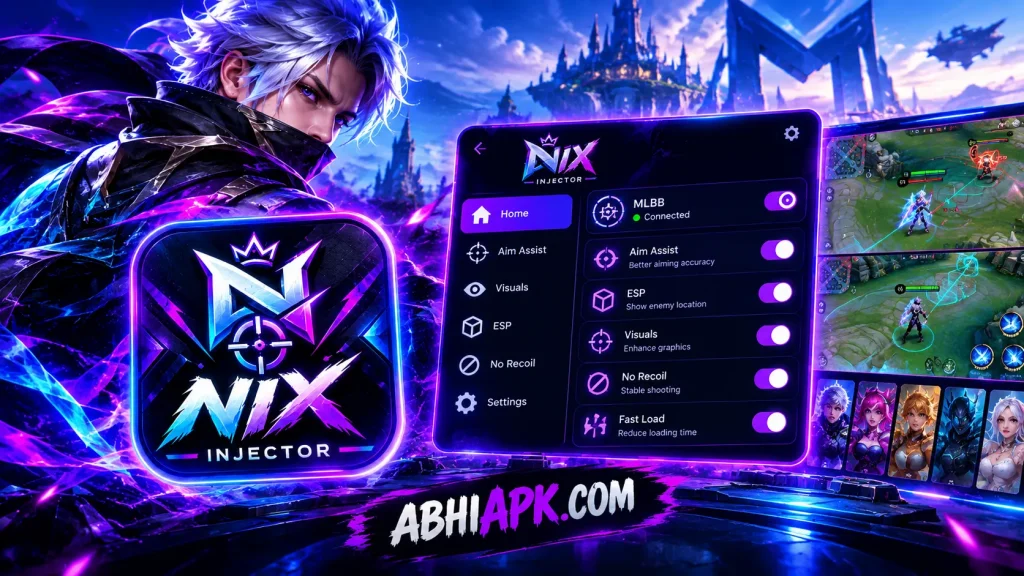
Nix Injector APK is described as a third-party utility associated with Mobile Legends: Bang Bang customization. Applications in this category may offer a separate interface for managing supported visual configurations or other settings. The actual capabilities of Nix Injector cannot be confirmed without reliable documentation for a specific version. Different releases may provide different options, and some advertised features may not work as expected. Players should therefore verify the application’s details before downloading it. Understanding its purpose and limitations can help users avoid unnecessary problems. Also Try the Tech Box 71 Injector too boost your gameplay and unlock all the premium stuff.
Key Features of Nix Injector APK
The following sections describe common characteristics of gaming customization utilities. They are not a guarantee that every feature is available in Nix Injector.
1. User-Friendly Interface:
An organized interface helps users navigate application menus more easily. Clearly labelled sections can make it simpler to locate available settings and instructions.
2. Visual Customization Options:
Some third-party gaming utilities focus on visual changes and appearance-related configurations. The specific options offered by Nix Injector should be confirmed through reliable version information.
3. Configuration Management:
Configuration menus can help users review supported options before making changes. Clear documentation is important for understanding what each setting does.
4. Android Compatibility:
Compatibility depends on the Android version, device specifications, and application requirements. Users should check these details before installing an APK file.
5. Version Information:
Knowing the release number helps users identify outdated software. Version details can also help explain why an application may stop working after a game update.
6. Simple Navigation:
A well-designed dashboard can make menus easier to understand. Useful labels and consistent icons can improve the overall user experience.
7. Device Resource Requirements:
Storage, memory, and processing power can affect application performance. The actual requirements of Nix Injector depend on its specific release.
How to Download Nix Injector ML APK?
Finding a trustworthy source is an important step when downloading an Android application. Unknown websites may provide outdated, modified, or unreliable files.
Use the following checklist before downloading Nix Injector:
- Search for the exact application name and version.
- Review the publisher’s information and website reputation.
- Check the stated Android requirements.
- Read available release notes and installation instructions.
- Scan the downloaded file using a reputable security tool.
- Avoid websites that request account passwords or verification codes.
Do not assume that a file is reliable simply because a website describes it as the latest release. Clear publisher information and verifiable details are more useful indicators.
Nix Injector APK Installation Guide
Installation steps can vary depending on the application package and Android version. If you have obtained a legitimate APK from a source you trust, follow these general guidelines.
Step 1: Check Your Device
Confirm that your Android device meets the application’s published requirements. Make sure you have enough storage available.
Step 2: Review the File Details
Check the APK’s name, version, source, and publisher information. Avoid installing packages with unclear origins.
Step 3: Review Installation Permissions
Android may require permission to install applications from certain sources. Only consider enabling this option when you have verified the file and trust its source.
Keep installation permissions restricted when they are not needed.
Step 4: Install the Application
Follow Android’s installation prompts. Read the permission requests carefully instead of automatically approving every option.
Step 5: Open and Inspect the App
After installation, review the application’s menus and available documentation. If it crashes, requests unusual access, or behaves unexpectedly, stop using it and uninstall it.
Ways to Use Nix Injector
The available functions depend on the specific version. There is no verified universal injection procedure for Nix Injector, so users should follow reliable documentation rather than assume that every online tutorial is accurate.
Method 1: Explore the Main Dashboard
Open the application and review its interface. Read any available instructions to understand its purpose and supported functions.
Method 2: Review Available Settings
Check whether the application offers documented customization options. Prefer settings that are clearly explained and supported by the developer.
Method 3: Check Compatibility
Compare the application version with its stated Android requirements. Updates to MLBB may affect whether a third-party utility works correctly.
Method 4: Review Supported Changes
If the application provides legitimate visual customization options, check the documentation before applying them. Avoid procedures that require replacing protected game files or bypassing game safeguards.
Method 5: Restore the Original Setup
If you experience errors, stop using the third-party utility. Remove it and return to the official game configuration if necessary.
Pros of Nix Injector APK
Third-party customization utilities may offer certain benefits, depending on their design and reliability.
- Customization exploration: Users can learn about different configuration interfaces.
- Organized menus: A separate dashboard may make supported options easier to review.
- Technical learning: Exploring Android applications can improve understanding of software compatibility.
- Version awareness: Release information can help users recognize outdated applications.
- Convenient navigation: Clear menus may make application settings easier to locate.
- Flexible device support: Some utilities support multiple Android versions, although compatibility must be verified.
These are potential benefits of well-designed utilities, not confirmed features of every Nix Injector release.
Cons of Nix Injector APK
Before installing a third-party application, it is important to consider possible disadvantages.
- Feature Availability: Features may vary between versions, so checking the available options can help set realistic expectations.
- Compatibility Considerations: Game updates may require users to review application compatibility.
- Privacy Awareness: Reviewing permissions helps users make informed decisions and protect personal information.
- Support Availability: Technical assistance may depend on the developer and available documentation.
- Performance Considerations: Checking device requirements can help users avoid unnecessary performance issues.
- Account Protection: Following MLBB’s current rules helps players maintain a more reliable gaming experience.
- Update Information: Reviewing version details and release notes helps users stay informed about available updates.
Nix Injector APK Compatibility With Android Devices
Not every APK works on every Android phone. Compatibility depends on the operating system, hardware resources, and the application’s technical requirements. Older devices may lack certain software components. Newer Android versions may also restrict installation methods that older applications rely on. Available storage and memory can influence performance as well. Before installing Nix Injector, check its published requirements and confirm that the file comes from a source you trust.
Best Ways to Enjoy MLBB Without Additional Tools
Players can improve their Mobile Legends experience through official game features and regular practice.
Adjust the Control Layout:
Explore the available control settings and arrange the interface to suit your preferred playing style. Comfortable controls can make it easier to react during matches.
Practice With Different Heroes:
Spend time learning each hero’s abilities, strengths, and limitations. Understanding your chosen hero can help you make better decisions during team fights.
Improve Map Awareness:
Check the minimap regularly and pay attention to team movements. Better awareness can help you coordinate with teammates and avoid unnecessary risks.
Learn Item Builds:
Experiment with recommended in-game equipment and understand how different items affect your hero. Choosing suitable equipment for the match can improve your overall strategy.
Keep the Game Updated:
Official updates may introduce new heroes, balance changes, bug fixes, and other improvements. Use trusted distribution channels to obtain game updates.
Communicate With Your Team:
Use the game’s available communication features to coordinate objectives and share useful information. Teamwork is an important part of a successful match.
Safety Tips Before Installing Nix Injector APK
Protecting your device and account should remain a priority.
Verify the source: Download applications only from sources you can reasonably trust.
- Review permissions: Be cautious if an application requests access unrelated to its stated purpose.
- Protect account details: Never share your MLBB password, recovery information, or verification codes with an unknown application or website.
- Check for unusual activity: Unexpected advertisements, battery drain, or unfamiliar background activity may indicate a problem.
- Keep security protections enabled: Use available Android security features and scan suspicious downloads.
- Review game policies: Check the current MLBB rules before using third-party utilities. Unsupported modifications may lead to account restrictions.
Common Nix Injector APK Problems and Solutions
The APK Does Not Install:
The package may be damaged or incompatible with your Android version. Verify the source, check your available storage, and review the stated requirements.
The Application Crashes:
Restart your device and check the application’s compatibility information. If the problem continues, uninstall the application rather than repeatedly trying unknown versions.
The Features Are Not Available:
The advertised options may be outdated or incorrectly described. Check the publisher’s documentation for accurate information.
The Application Requests Extra Permissions:
Do not automatically approve unexpected requests. Cancel the installation if the requested access seems unrelated to the application’s purpose.
MLBB Experiences Errors:
Stop using the third-party application and return to the official game setup. If the issue continues, consult the game’s official support resources.
Frequently Asked Questions About Nix Injector APK
What Is Nix Injector APK?
Nix Injector APK is a name associated with a third-party utility for MLBB customization. Its exact features depend on the specific version and source.
Is Nix Injector APK Free?
Its pricing cannot be confirmed without reliable information about the particular release. Check the publisher’s terms before downloading or paying for any service.
Is Nix Injector Available for Android?
APK is an Android application package format. However, the authenticity and compatibility of any specific Nix Injector file must be verified.
Does Nix Injector Work With the Latest MLBB Version?
Compatibility cannot be guaranteed. Game updates can affect third-party applications, so check reliable version information before use.
Is Nix Injector APK Safe?
Its safety cannot be confirmed without examining the specific file and its source. Review the publisher, permissions, and security scan results before deciding whether to install it.
Can Nix Injector Affect an MLBB Account?
Third-party modifications may conflict with the game’s rules. Review the current policies and avoid unsupported tools that could affect account access.
What Should I Do if Nix Injector Stops Working?
Stop using the application, check its documented requirements, and uninstall it if the problem persists. You can continue using MLBB’s official settings and customization features.
Final Verdict:
Nix Injector APK may interest Mobile Legends players who want to learn about third-party customization utilities. However, its exact features, reliability, and compatibility should be verified before making any decision. Review the application’s source, check its permissions, and understand the possible disadvantages before installing it. Avoid websites that make unsupported promises or request sensitive account information. For a dependable MLBB experience, official game settings, regular practice, and trusted updates remain practical options. They help players enjoy the game while keeping their devices and accounts better protected.