Prime Tools ML Injector Apk Download Latest Free For Android

Description
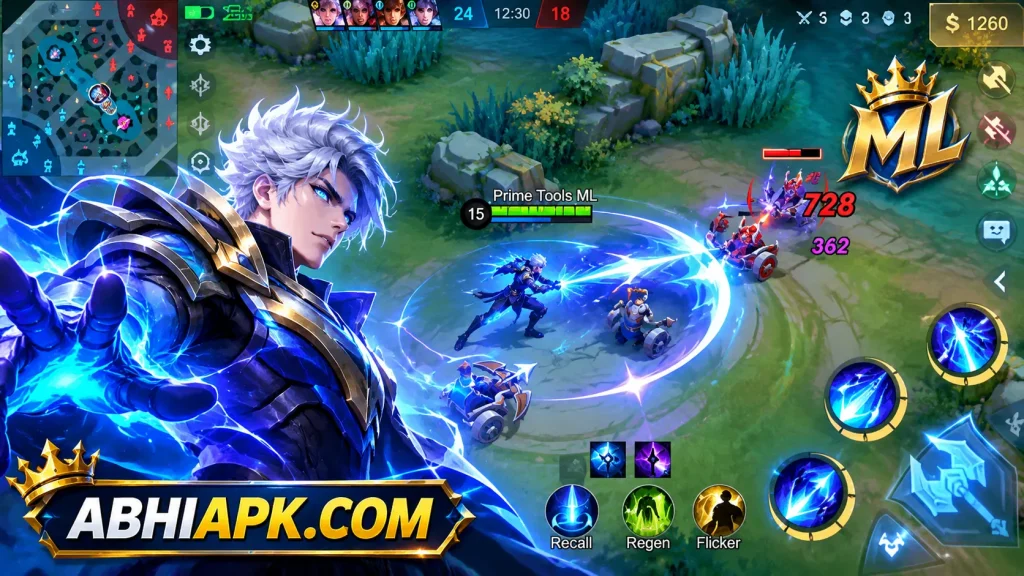
Mobile Legends: Bang Bang players exploring external utilities often come across Prime Tools ML Injector in community discussions. This Android application presents itself as a visual customization companion for MLBB, offering a separate dashboard for appearance-related adjustments and hero reference data. Before sideloading any third-party APK, understanding its structure, operation flow, and realistic limits helps you make a sensible choice. This guide covers the practical details in plain terms.
What Is Prime Tools ML Injector?
Prime Tools ML Injector is an independent Android utility created for MLBB players who want to explore visual themes, hero statistics, and skill combo references outside the standard game menus. It functions as a standalone application layer, presenting its own control panel where various cosmetic options and reference materials are grouped. The tool reaches users through APK distribution rather than official store channels, meaning manual installation is the norm. Since no formal oversight governs its releases, available features and overall behavior can shift between builds.
Every version should be treated as a distinct package with its own quirks and compatibility profile. The developer explicitly states that the app is not affiliated with Moonton or MLBB in any official capacity . Also try the Danzo Injector for more incredible features and enhanced gameplay.
Standout Features
Organized Dashboard Layout
The main interface sorts available options into labeled categories, cutting down the need to dig through nested menus. This arrangement lets new users find sections quickly, even without prior injector experience.
Hero Reference Database
The app includes a comprehensive hero guide covering durability, offense, control effects, and difficulty ratings. Skill combo sequences come with explanations for when and how to use them effectively during matches .
Appearance-Focused Options
Different releases may include choices tied to visual themes, emotes, recall inspirations, map aesthetics, and loading screen concepts. These are typically framed as cosmetic adjustments rather than competitive changes. The actual selection depends entirely on which build you install .
Android-Tailored Compatibility
The utility is built for Android devices and supports contemporary operating system versions. Most builds require Android 7.0 or higher, covering a wide range of active phones.
Periodic Refreshes
Updates arrive occasionally to address compatibility shifts and general stability improvements. The latest versions have focused on fixing ANR issues and minor bugs .
Ways to Inject and Operate the Tool
Preparation Phase
Confirm your Android system is current and that adequate free storage remains available. Temporarily allow installation from unknown sources, then disable it once finished. Running a security scan on the APK file adds a reasonable safeguard.
Installation and First Launch
Obtain the APK from a source you have chosen to examine. After installing, open the application and inspect each permission request. The app typically requests internet access, storage read/write, and notification permissions . A tool centered on visual adjustments should not need access to contacts or messages. Requests that seem mismatched signal a moment to pause.
Interface Exploration
Once the dashboard loads, browse each section without activating changes right away. Understanding what every toggle controls lowers the chance of unexpected results.
Applying Preferred Adjustments
Pick the options that match your preferences. Some builds may require closing MLBB beforehand for modifications to appear. Outcomes are not guaranteed and can differ based on your device and the present game version.
Post-Use Monitoring
After running the tool alongside MLBB, observe how the game behaves. If graphical anomalies or lag spikes appear, reverse the changes or remove the application. Steady performance matters more than experimental tweaks.
Advantages and Drawbacks
Pros
- Simple navigation. The dashboard layout makes moving between sections easy, even for users unfamiliar with external utilities.
- Hero reference value. The built-in stats and combo guide offers practical information that works independently of the injection features.
- Low storage demand. The APK size ranges from roughly 23 MB to 38 MB depending on version, fitting phones with limited internal space.
- Broad Android support. Compatibility with Android 7.0 and above covers a wide selection of active devices.
- Centralized settings. Keeping customization choices in one place saves time compared to scattered menus.
Cons
- No official review process. The application exists outside app store supervision, so its safety profile cannot be confirmed through standard channels.
- Features vary between builds. Options present in one release may vanish or behave differently in the next. File sizes fluctuate noticeably across versions .
- Results depend on the device. What works smoothly on one phone may cause issues on another due to hardware and software differences.
- Few support options. Users facing problems have limited dependable resources for help.
- Inconsistent availability. The app has appeared and disappeared from Google Play, and download sources vary in reliability .
Additional Categories Worth Exploring
Security Awareness
Third-party APKs call for extra caution. Verify the download source and examine permission requests closely. Never enter MLBB login credentials or verification codes into the application.
Compatibility Variables
Your Android version, device processor, and the current MLBB build all influence whether Prime Tools ML Injector works as expected. Game updates can modify internal systems without notice.
Realistic Usage Mindset
External utilities sit outside the official MLBB ecosystem. Players who explore them should treat the experience as experimental. Official in-game settings remain the most dependable route for core adjustments.
Maintenance Habits
Keeping Android updated, clearing unused files regularly, and maintaining a stable internet connection all support smoother performance during use.
Device Performance Impact
Running additional applications alongside MLBB consumes system resources. Watching temperature and battery drain helps you judge suitability for your phone.
Source Evaluation
Checking community feedback and version history before downloading helps you anticipate what a specific build offers. Comparing file sizes and package names across sources provides an extra layer of verification.
Interface Familiarity
Spending a few minutes exploring the dashboard before applying anything reduces confusion and accidental toggles.
Resource Management
Closing background applications before launching the injector and the game together can reduce memory pressure on mid-range devices.
Frequently Asked Questions
Is Prime Tools ML Injector connected to Moonton?
No. The developer explicitly states the app is not affiliated with, sponsored by, or endorsed by Moonton or MLBB .
Will Prime Tools ML work on my specific phone?
Compatibility depends on your Android version and hardware. Most builds target Android 7.0 and above, but individual results vary by device.
Does using it alter my MLBB installation?
The Prime Tools ML Injector runs as a separate application. However, interactions with the game environment mean changes in one may influence the other.
How often is Prime Tools ML updated?
Updates arrive irregularly, usually in response to game changes or user reports.
What if the application requests permissions that appear unnecessary?
Deny the request or stop installation. Permissions should match the tool’s stated purpose of providing customization and reference features.
Final Words
Prime Tools ML Injector sits within the broader class of Android gaming utilities that attract MLBB players interested in interface exploration and visual personalization. Its compact build, organized layout, hero reference database, and Android-focused design make it approachable for a wide audience. At the same time, the absence of official oversight, inconsistent feature availability across builds, and device-dependent performance are genuine limitations worth weighing. Approaching such tools with measured expectations, prioritizing device security, and staying aware of compatibility factors allows you to explore external utilities while keeping your gaming setup stable and your personal information protected.