
Fker Injector CODM APK Download Latest Free For Android

Description
Fker Injector is a third-party APK designed for Call of Duty Mobile players on Android. It operates by injecting modifications into the game environment, offering features that alter gameplay and unlock content. This article covers what the tool claims to provide, how injection works, and a balanced look at its pros and cons.
What Is Fker Injector?
Fker Injector is an Android application that runs alongside Call of Duty Mobile and modifies game behavior in real time. It is distributed as an APK through third-party websites rather than official app stores. The tool targets players who want access to premium content and gameplay enhancements without following the standard progression system. If you want to try another injector just like the Fker then JC Tools Injector is go to option for you.
Claimed Features
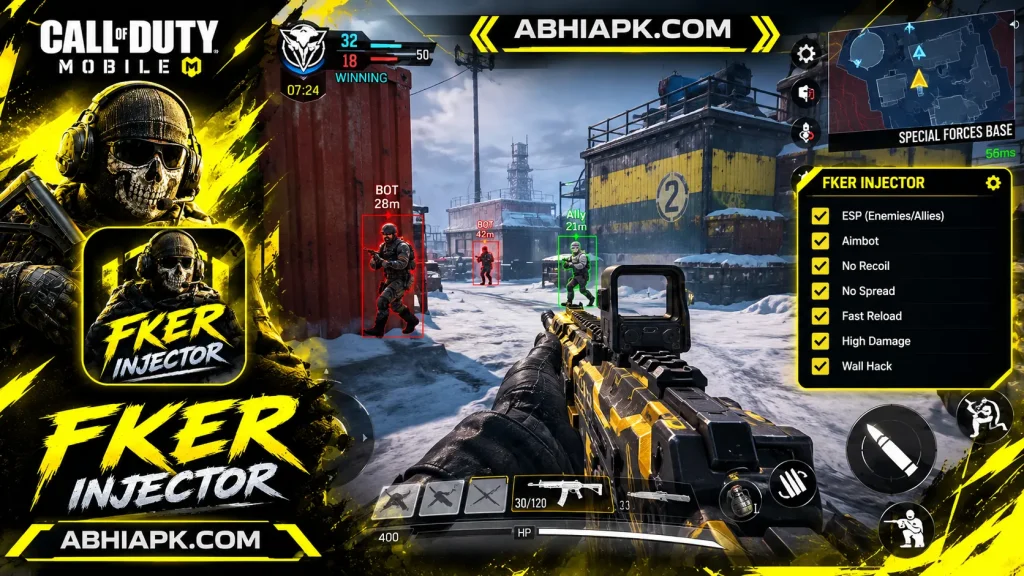
Fker Injector advertises a range of modifications. These vary between versions but typically include:
- Aim Assistance: Targeting help for improved shot accuracy.
- Visual Modifications: Ability to spot opponents through obstacles.
- Unlock Tools: Access to skins, weapons, and cosmetic items.
- Recoil Control: Reduced weapon kick for steadier aim.
- ESP Overlay: On-screen indicators showing enemy positions.
- Speed Adjustments: Modified movement pace.
How to Inject Fker Injector CODM?
The injection process follows a standard sequence for Android mod tools:
- Download the APK from the distributor’s website.
- Enable Unknown Sources in your device settings under security or privacy.
- Install the APK by opening the downloaded file and confirming installation.
- Open Fker Injector and grant the permissions it requests.
- Launch Call of Duty Mobile — the injector overlay appears on screen.
- Select features from the menu and apply them before or during a match.
Some versions may require disabling Play Protect or running the game in a virtual space app. The overlay menu remains accessible while the game is running, allowing toggles to be switched on and off.
Pros and Cons
Pros
- Free to Download: No payment is required to obtain the APK.
- Multiple Features: Combines several modifications in one tool.
- Simple Interface: The overlay menu is straightforward to navigate.
- Lightweight: Small file size suitable for most Android devices.
- No Registration: Does not require account creation or login credentials.
Cons
- Account Penalties: Activision’s policy prohibits injectors, and detected accounts face suspension or permanent bans.
- Unstable Performance: Features may stop working after game updates.
- Limited Compatibility: Performance varies across devices and Android versions.
- No Official Support: There is no customer service or troubleshooting help.
- Feature Inconsistency: Not all advertised features function as described in every version.
- Download Risks: Third-party sources may bundle unwanted software with the APK.
Additional Details
Update Frequency: Fker Injector requires frequent updates to remain compatible with Call of Duty Mobile patches. When the game updates, the injector often stops working until the developer releases a new version.
Device Requirements: The APK typically requires Android 7.0 or higher and works on both rooted and unrooted devices, though some features may require root access.
Overlay Permission: The injector needs display-over-other-apps permission to show its menu on top of the game screen.
File Size: Most versions range between 15MB and 30MB, making it accessible for devices with limited storage.
Frequently Asked Questions
Does Fker Injector work on all Android devices?
It is designed for Android devices running version 7.0 and above. Performance may vary depending on the device’s specifications and the game’s current version.
How often is Fker Injector updated?
Updates are released periodically to match Call of Duty Mobile patches. There is no fixed schedule, and older versions may stop functioning after major game updates.
Does Fker Injector require root access?
Most features work without root, but certain modifications may require a rooted device. The developer’s instructions specify which features need root.
What permissions does Fker Injector request?
The APK typically requests overlay permission, storage access, and sometimes network access. These are needed for the injector menu and feature operation.
Can Fker Injector be used on iOS?
No. Fker Injector is an Android-only APK and is not available for iOS devices.
Final Words:
Fker Injector is a third-party APK that offers gameplay modifications and unlock features for Call of Duty Mobile. It provides a range of tools through an overlay menu, requires manual installation, and needs regular updates to function. The pros include free access and multiple features, while the cons include account penalties, instability, and inconsistent performance. Users should weigh these factors before deciding whether to use the tool.