Shen Injector MLBB Apk Latest Free Download For Android

Description
Mobile Legends: Bang Bang (MLBB) fans often want to personalize their gaming experience. The Shen Injector has emerged as a popular tool for this purpose. It focuses on skin injection and visual customization. This article covers its features, setup process, and pros and cons.
What is Shen Injector?
Shen Injector is a third-party application built for Android devices. Its main purpose is to provide skin injection services for MLBB players. Users can browse and apply various MOD skins to change how heroes appear in the game. The app is lightweight, with an installation file of only around 10MB. This makes it suitable even for budget phones with limited storage. The Panel Jujutsu Kaisen Injector also offers similar features along with some new ones so try it now.
Core Features
Shen Injector comes with a solid set of tools for skin customization.
- Skin Injection: Apply selected MOD skins to the game with one tap
- Skin Library: Browse a large collection of skins covering many heroes and themes
- Original File Support: Download original skin files alongside MOD options
- Update Alerts: Get notified when new skins are uploaded
- Issue Reporting: Contact developers through email if a skin fails to work
Every option sits inside a clean dashboard. Navigation is simple and quick.
Latest Features of Shen Injector ML:
The development team keeps adding new tools to the app.
- Optimized Injection Algorithm: A faster process with fewer steps
- Lightweight Build: The app stays around 10MB, using minimal storage
- Wide Compatibility: Works across most Android versions
- No Subscription Needed: All features are free with no hidden fees
These updates arrive regularly to match new game patches.
How to Inject in MLBB on Android?
Setting up Shen Injector takes only a few minutes. Follow these steps.
- Allow Unknown Sources: Go to Settings > Security > Enable installs from unknown sources
- Download the APK: Get the latest version from a trusted source
- Install the App: Tap the file and follow the prompts
- Open the Tool: Launch Shen Injector and grant storage permissions
- Pick a Skin: Browse the library and select your desired MOD skin
- Run the Injection: Tap the inject button and wait for completion
- Restart the Game: Close and reopen MLBB to apply changes
A quick restart after each session gives the best results.
Ways to Inject
Players use different methods to run the injector. Here are the common ones.
- Direct Install: The standard route. Install the APK and run it normally
- Emulator Setup: Use Android emulators like LDPlayer on a PC
- Secondary Device: Try it on a spare phone to protect your main account
- Virtual Space Apps: Run the tool inside a sandbox for extra separation
Direct install remains the simplest and most popular choice.
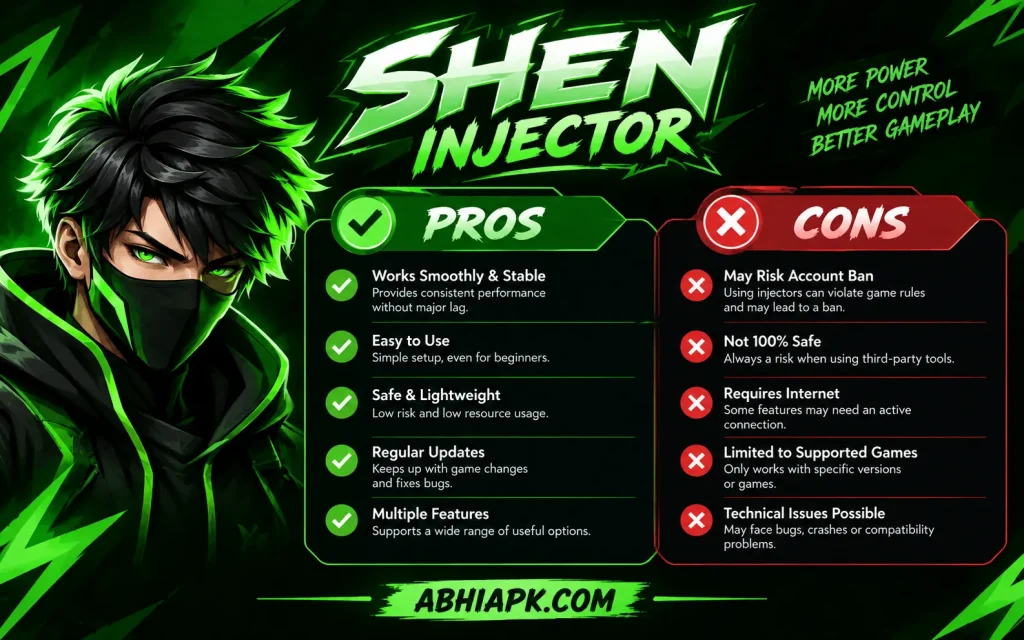
Pros and Cons
Every tool has strengths and weaknesses. Here is a balanced view.
Pros
- Completely free with no subscription fees
- Small file size of about 10MB
- Large and frequently updated skin library
- Runs smoothly on low-end devices
- Simple interface for beginners
- No root access required
Cons
- Not available on official app stores
- Manual installation required
- MOD skins are visual only and invisible to other players
- Use carries potential account risk
- Some skins may stop working after game updates
Tips for Best Results
Smart habits improve your experience with any injector.
- Stay Updated: Always use the newest build for compatibility
- Use Moderately: Avoid injecting too many skins at once
- Backup Your Account: Link your profile to social media for safety
- Test on a Spare: Try new versions on a secondary account first
- Follow Community Threads: Forums share useful fixes and advice
These small steps keep your gameplay smooth and stable.
Device Compatibility
Shen Injector has low requirements for devices.
- Android Version: Supports Android 5.0 and above
- Storage: Needs about 10MB of free space
- RAM: Works on devices with limited memory
- Processor: Compatible with most mid-range and budget chips
Safety and Responsibility:
No third-party tool is completely risk-free. Shen Injector aims for stability and simplicity, but caution still matters. Read the game rules. Use the tool in moderation. Enjoy the extras without depending on them fully. Responsible use protects your account and your fun.
Common Issues and Fixes:
At times the injector may not work as expected. Here are quick remedies.
- Skin Not Applying: Ensure MLBB is fully closed before injection
- App Crashes: Clear cache and restart your phone
- Outdated Version: Download the newest build from a trusted source
- Permission Errors: Confirm all required permissions are granted
Most problems clear up with a restart or fresh update.
Frequently Asked Questions
Q1: Is Shen Injector free?
Yes, it is completely free with no subscription.
Q2: Does it need root access?
No, it works on standard Android devices.
Q3: How often is it updated?
The team adds new skins regularly and adapts to game patches.
Q4: Can I use it on iOS?
No, it is built for Android only.
Q5: Can other players see my MOD skins?
No, MOD skins are visual only and visible to the user alone.
Q6: What if a skin stops working?
Report it through the app’s email feature for a quick fix.
Conclusion:
Shen Injector offers MLBB players a convenient path to skin customization. Its lightweight design, rich library, and free access make it stand out among third-party tools. While some limits exist, its benefits attract many Android gamers. Download from a trusted source, stay updated, and enjoy a more personalized MOBA experience.