Xenos Injector GTA Latest DLL Injection Latest Free Download

Description
GTA fans on Windows often explore tools that expand their gaming experience. The Xenos Injector has become a well-known name in this space. It is a lightweight DLL injector built on the Blackbone library. This guide covers its features, setup methods, and honest pros and cons.
What is Xenos Injector?
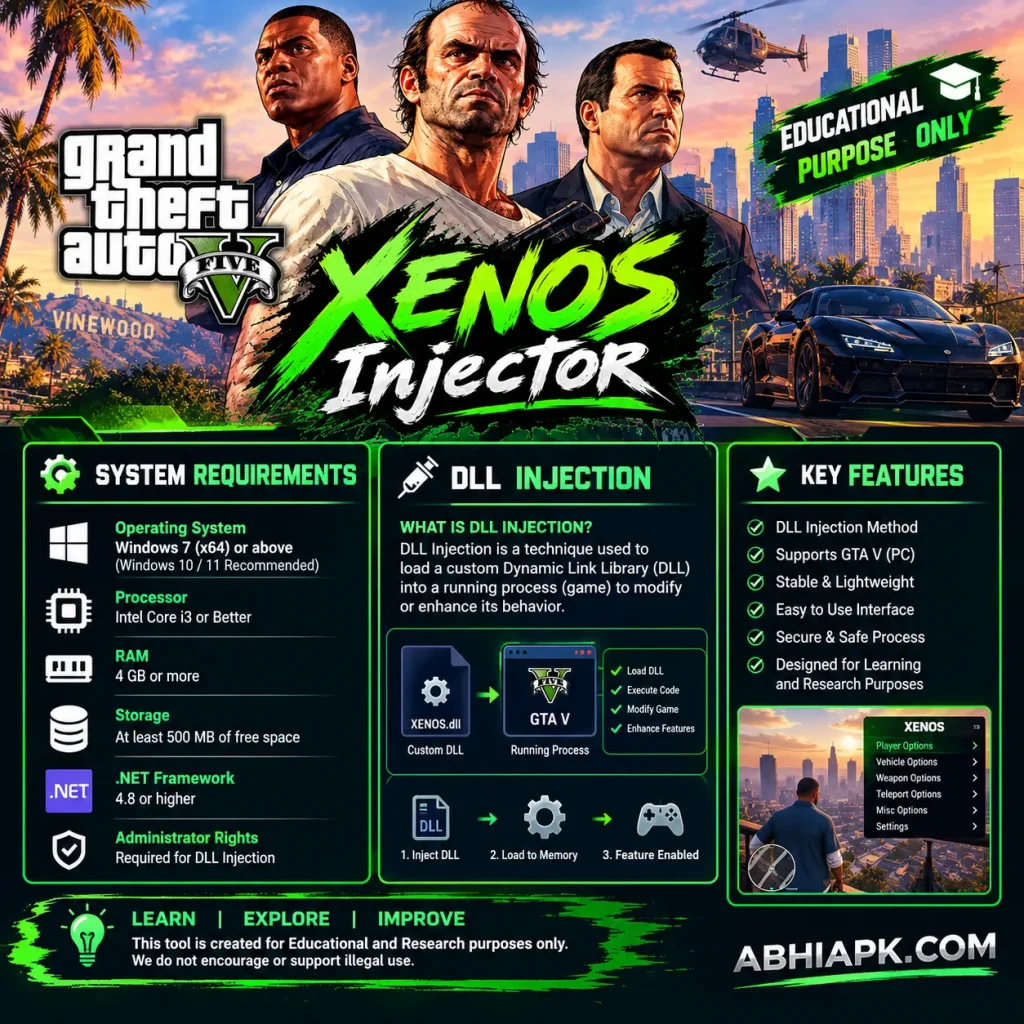
Xenos Injector is a Windows application, not an Android APK. It specializes in loading custom dynamic libraries into target processes. Developers use it for modding, testing, and security research. It works with both 32-bit and 64-bit applications. The tool is built on the Blackbone library, which provides advanced memory and process manipulation. It supports Windows 7 through Windows 10 x64. If you are wandering over internet by searching injectors for other games then Panel Jujutsu Kaisen is the best choice for you.
Core Features
Xenos Injector comes with a solid set of tools for Windows users.
- DLL Injection: Load custom libraries into running processes
- Manual Mapping: A technique that avoids standard loading methods
- Dual Architecture: Works with both 32-bit and 64-bit targets
- Broad Compatibility: Supports Windows 7 up to Windows 10 x64
- Reference Implementation: A working example of injector techniques
- Build Configuration: Includes project files for developers
- Blackbone Internals: Leverages robust memory and process APIs
Each function is designed for developers and modding communities.
Latest Capabilities
The tool continues to serve as a reliable reference for injection methods.
- Process Attachment: Connects to active applications with ease
- Memory Allocation: Reserves space for loaded libraries
- Loader-Agnostic Methods: Works without relying on standard loaders
- Automated Injection: Supports scripted or manual operation
- Older Game Support: Useful for legacy titles and modern releases
These capabilities make it valuable for both testing and creative projects.
How to Inject with Xenos DLL APK?
Setting up Xenos Injector follows a clear process. Here are the typical steps.
- Download the Tool: Get the latest build from a trusted source
- Extract the Files: Unpack the archive to a folder on your PC
- Launch Xenos: Run the application as administrator
- Select the Target: Choose the running process you want to work with
- Pick Your DLL: Browse and select the library file to load
- Choose a Method: Select manual mapping or another injection mode
- Run the Injection: Click inject and wait for confirmation
Always test on a spare setup before using it on a main system.
Ways to Inject
Users apply different methods depending on their needs.
- Manual Mapping: Loads the library without standard system calls
- Standard Injection: Uses common loading techniques
- Automated Mode: Scripts the process for repeat tasks
- Developer Testing: Used in controlled environments for research
- Modding Projects: Applied to older and newer game titles
Manual mapping remains the most popular choice for advanced users.
Pros and Cons
Every tool has strengths and weaknesses. Here is a balanced view.
Pros
- Lightweight and fast to launch
- Works with both 32-bit and 64-bit processes
- Supports a wide range of Windows versions
- Built on a robust, well-documented library
- Serves as a learning resource for developers
- Includes build configuration for customization
- Free to download and use
Cons
- Windows-only, not available for Android
- Requires technical knowledge to use well
- Manual mapping can be complex for beginners
- Not intended for casual gamers
- Use may conflict with application terms of service
- No official customer support channel
- Some features may need updates for newer systems
Tips for Best Results
Smart habits improve your experience with any injection tool.
- Run as Administrator: Ensures proper access to target processes
- Match Architectures: Use 32-bit DLLs with 32-bit targets
- Close Conflicts: Shut down overlapping tools before injecting
- Test in a Sandbox: Try new libraries in a safe environment
- Keep Backups: Save your project files before making changes
- Read Documentation: Understand Blackbone APIs for better results
- Stay Updated: Check for new builds after system updates
These steps help avoid common errors and crashes.
System Compatibility
Xenos Injector supports a broad range of Windows systems.
- Operating System: Windows 7 through Windows 10 x64
- Architecture: Both 32-bit and 64-bit targets
- Storage: Small footprint, under 10MB
- Processor: Works with most modern CPUs
- Permissions: Requires administrator access
Newer Windows versions may need compatibility adjustments.
User Experience
Feedback from developers leans positive. The interface is functional and clear. Injection completes quickly in most cases. Manual mapping offers advanced control for experienced users. Beginners may need time to learn the workflow. Some note that newer Windows builds require extra tweaks. Overall, it remains a respected reference tool.
Safety and Responsibility:
No injection tool is completely risk-free. Xenos Injector is built for legitimate development and research. Users should respect software terms of service. Apply it only in controlled or authorized settings. Responsible use protects both your system and your projects.
Common Issues and Fixes
Problems sometimes appear during use. Here are quick notes.
- Injection Fails: Check that target and DLL architectures match
- Access Denied: Run the tool as administrator
- App Crashes: Close conflicting background programs
- Outdated Build: Download the newest version from a trusted source
- Missing Permissions: Confirm all required rights are granted
Most issues clear up with a restart or fresh build.
Frequently Asked Questions
Q1: Is Xenos Injector free?
Yes, it is free to download and use.
Q2: Is it an Android APK?
No, it is a Windows application for desktop systems.
Q3: Does it work on Windows 11?
It targets Windows 7 through Windows 10 x64, though newer systems may work with tweaks.
Q4: What is manual mapping?
A technique that loads a library without standard system calls.
Q5: Do I need programming skills?
Basic knowledge helps, especially for manual mapping and custom builds.
Q6: Can it be used for GTA modding?
It serves as a tool for developers and modding communities in controlled settings.
Q7: Is there customer support?
No official support channel exists, but community forums offer help.
Conclusion:
Xenos Injector offers Windows users a reliable DLL injection solution. Its lightweight build, dual-architecture support, and Blackbone foundation make it valuable for developers and modders. The manual mapping option provides advanced control. While it requires technical know-how, its benefits appeal to those working with older and newer applications. Download from a trusted source, follow best practices, and use it responsibly in authorized settings.