
Faan Xiter Injector Free Fire Apk Download Latest For Free

Description
Free Fire enthusiasts are constantly on the lookout for tools that can add a new dimension to their gameplay. The Faan Xiter Injector has emerged as a name circulating within the community. This article explores what such tools typically offer, how they are applied, and the various considerations that come with using them.
Understanding the Faan Xiter Injector
The Faan Xiter Injector is categorized as a third-party utility designed for Android devices. These types of applications function as external panels that operate alongside Free Fire. They are not developed or endorsed by the game’s official creators. Instead, they are created by independent developers within the modding community. The tool is typically distributed as an APK file, which means it requires manual installation outside of standard app marketplaces.
Users are drawn to these injectors for the promise of enhanced visual feedback and gameplay adjustments. The interface usually presents a floating menu or a separate dashboard where various options can be toggled on or off before launching the game. Also try the FKER Injector to lift your dry gameplay to a professional level.
Claimed Functionalities and Modules
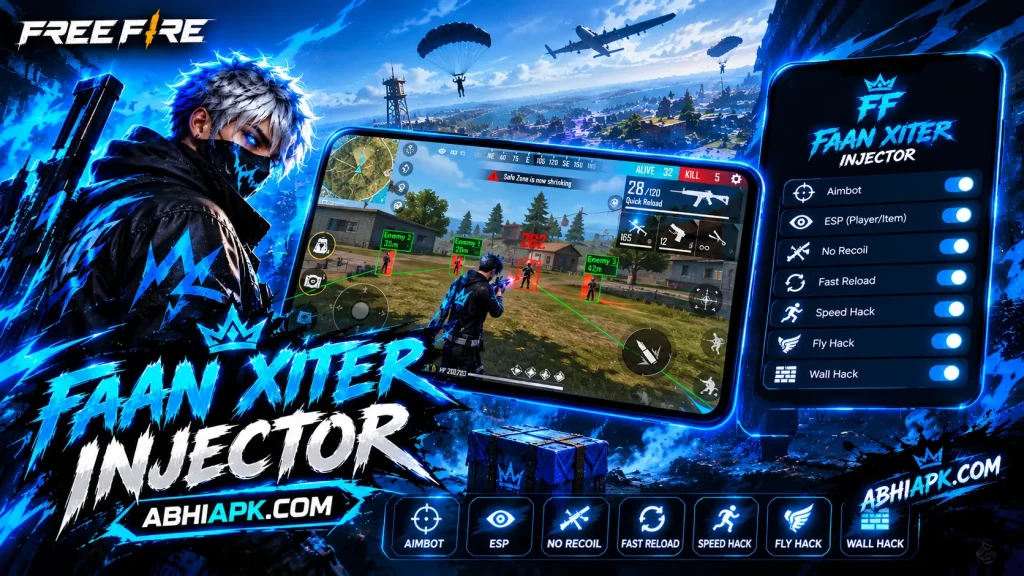
Based on the patterns of similar community tools, the Faan Xiter Injector is associated with several feature categories. These modules are designed to cater to different aspects of the gaming experience.
Visual Feedback Modules
These features are intended to provide additional on-screen information. They often include options to highlight objects or provide visual cues that are not present in the standard game interface. The goal is to offer players a different perspective on the match environment.
Sensitivity and Control Tuning
Many players struggle with finding the perfect sensitivity settings. Such tools often include pre-configured profiles or sliders that allow for granular adjustments to touch response and aiming behavior. This can help players tailor the controls to their specific device and playstyle.
Cosmetic Customization Options
Another common category involves the ability to change the appearance of in-game items. This can range from character outfits to weapon finishes. These modifications are typically client-side, meaning they are visible only to the user who applied them.
Performance Enhancement Tweaks
Some injectors also bundle options aimed at optimizing the game’s performance on the device. These might include adjustments to graphics settings or processes intended to reduce lag and improve frame stability during matches.
Installation and Injection Process
Applying a tool like the Faan Xiter Injector follows a standard procedure for sideloaded Android applications. It is crucial to approach each step with attention.
Preparing the Device
Before installation, users must enable the installation of applications from unknown sources. This is found within the device’s security or privacy settings. This step allows the system to install the APK file that is not sourced from the official store.
Acquiring and Installing the APK
The next step involves obtaining the APK file from a source where it is distributed. Once downloaded, the file is opened, and the on-screen prompts guide the user through the installation process. The app then appears on the device’s home screen or app drawer.
Activating the Panel
After installation, the Faan Xiter Injector application is launched. Users typically need to grant it certain permissions to function. Following this, the tool is used to select Free Fire as the target application. The desired features are then toggled on within the panel’s interface.
Applying the Modifications
Finally, the user must ensure that Free Fire is completely closed before activating the injection. Once the modifications are applied through the panel, the game is restarted to allow the changes to take effect.
Methods of Application
There are several ways players choose to run these tools, each with its own level of complexity.
- Direct Installation: This is the most straightforward method, where the APK is installed directly onto the primary gaming device.
- Virtual Environments: Some users prefer to run the injector within a virtual space or sandbox application. This creates an isolated environment on the phone, which can help manage app interactions.
- Secondary Devices: To keep the primary gaming profile separate, some players use a spare or secondary Android phone solely for testing these types of tools.
- Emulator Testing: On a computer, users can run Android emulators to test the injector in a controlled desktop environment before considering it for a mobile device.
Advantages of Using the Faan Xiter Injector
For those interested in this type of tool, there are several appealing factors.
- Cost-Free Access: The APK is generally distributed without a purchase price, making it accessible to a wide audience.
- User-Friendly Interface: The panels are often designed with simplicity in mind, featuring clear toggles and menus that are easy to navigate.
- Customization Variety: The tool offers a range of options for personalizing the visual and control aspects of the game.
- Lightweight Footprint: These tools are typically small in file size, meaning they take up minimal storage space on the device.
- Community-Driven Updates: Developers frequently release new versions to adapt to game changes, keeping the tool relevant for a period.
Points to Consider Before Use
It is equally important to understand the limitations and characteristics inherent to these applications.
- Not an Official Product: The injector is an independent creation and has no affiliation with the game’s developers.
- Manual Installation Requirement: The process requires enabling unknown sources and sideloading, which bypasses standard app store vetting.
- Feature Longevity: The functionalities may stop working after major game updates, requiring the user to wait for a new version of the injector.
- Device Permissions: The application may request access to certain device functions that are not strictly necessary for its operation.
- No Formal Support: There is no official customer service channel, meaning troubleshooting relies on community forums and shared experiences.
Optimizing Your Experience
If you choose to explore this tool, certain practices can help you get the most out of it.
- Keep the Tool Updated: Always check for the latest version of the injector to ensure compatibility with the current game build.
- Test Features Gradually: Rather than enabling every option at once, try them individually to understand their effects and how they interact.
- Maintain a Stable Connection: A reliable internet connection is important for the injector to communicate properly with the game process.
- Clear App Cache: If the panel becomes unresponsive or fails to load, clearing the application’s cache or data can often resolve the issue.
- Follow Community Channels: Forums and social media groups are the primary sources for updates, fixes, and user tips regarding the tool.
Device and System Requirements
The Faan Xiter Injector is built to run on a broad range of Android hardware.
- Operating System: It generally requires Android 5.0 (Lollipop) or a newer version.
- Storage Space: The APK file is compact, usually requiring less than 50MB of free space.
- RAM: A device with at least 3GB of RAM is recommended for smooth operation of both the tool and the game.
- Processor: It is compatible with most modern mid-range and higher processors found in Android devices.
User Experience and Community Feedback
The reception of such tools within the community varies. Users who enjoy tinkering with game settings often appreciate the level of control these panels provide. The ability to adjust sensitivity profiles and visual elements without navigating through multiple menus is a frequently cited benefit. However, the experience can be inconsistent, as the tool’s functionality is tied to the game’s updates. The community aspect is strong, with users sharing configurations and workarounds in dedicated online spaces.
Frequently Asked Questions
Q1: Is the Faan Xiter Injector free to use?
Yes, these tools are typically distributed as free downloads within the community.
Q2: Does it require a rooted Android device?
Most modern versions of these injectors are designed to work on non-rooted devices, relying on other methods to apply modifications.
Q3: Can I use it on an iPhone?
No, the Faan Xiter Injector is an Android-only APK and is not compatible with iOS devices.
Q4: What should I do if a feature stops working?
Feature failures are usually resolved by downloading and installing the latest version of the injector released after the game’s update.
Q5: Is there a risk of device slowdown?
The tool is lightweight, but running it alongside the game can consume system resources, which may affect performance on older or lower-end devices.
Q6: How often is the tool updated?
Updates are released periodically by the developer to maintain compatibility, though there is no fixed schedule.
Conclusion:
The Faan Xiter Injector represents one of many customization tools available to the Free Fire community. It offers a suite of modules aimed at visual feedback, control tuning, and aesthetic changes, all through a streamlined panel. While it provides a degree of personalization and is free to access, it is important to recognize its unofficial nature and the variability of its features. For players interested in exploring different ways to interact with their game, it is a tool that reflects the creativity of the modding community.